TROJ_FAKEAV.YSWL

Rogue:Win32/Onescan (Microsoft), Mal/FakeAV-OX (Sophos), Rogue.Ddosclean (Malwarebytes), Gen:Variant.Adware.Kraddare.19 (BitDefender)
Windows




Threat Type: Trojan
Destructiveness: No
Encrypted: No
In the wild: Yes
OVERVIEW
This Trojan arrives on a system as a file dropped by other malware or as a file downloaded unknowingly by users when visiting malicious sites.
It modifies the Internet Explorer Zone Settings.
However, as of this writing, the said sites are inaccessible.
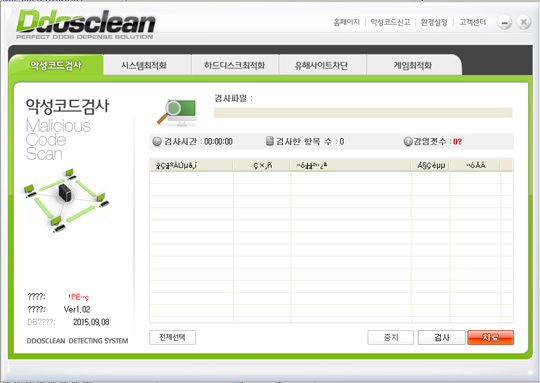
It displays fake alerts that warn users of infection. It also displays fake scanning results of the affected system. It then asks for users to purchase it once scanning is completed. If users decide to purchase the rogue product, users are directed to a website asking for sensitive information, such as credit card numbers.
TECHNICAL DETAILS
Arrival Details
This Trojan arrives on a system as a file dropped by other malware or as a file downloaded unknowingly by users when visiting malicious sites.
Installation
This Trojan adds the following mutexes to ensure that only one of its copies runs at any one time:
- ddosclean
- ddosclean_e1
Web Browser Home Page and Search Page Modification
This Trojan modifies the Internet Explorer Zone Settings.
Download Routine
This Trojan downloads an updated copy of itself from the following website(s):
- http://update.{BLOCKED}ean.com/version/bina/
Information Theft
This Trojan gathers the following data:
- Computer Name
- Mac/Physical Address
- OS Version
Other Details
This Trojan requires the following additional components to properly run:
- {Malware Path}\ddoscleanu.exe - updater
- {Malware Path}\ddosclean.dll
- {Malware Path}\ddoscleandata
- %Desktop%\ddoscleandata
(Note: %Desktop% is the desktop folder, where it usually is C:\Documents and Settings\{user name}\Desktop in Windows 2000, Windows Server 2003, and Windows XP (32- and 64-bit); C:\Users\{user name}\Desktop in Windows Vista (32- and 64-bit), Windows 7 (32- and 64-bit), Windows 8 (32- and 64-bit), Windows 8.1 (32- and 64-bit), Windows Server 2008, and Windows Server 2012.)
It does the following:
- Terminates processes under its System Optimize feature.
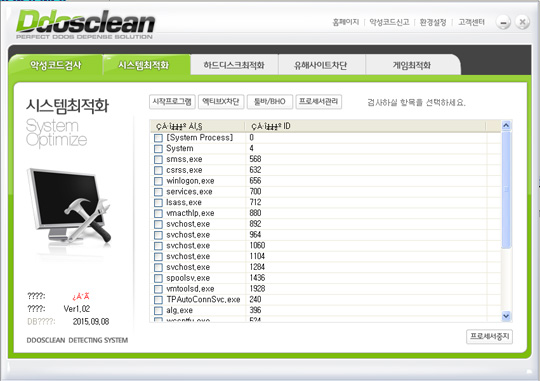
- Deletes files listed in its Hard disk Optimize feature
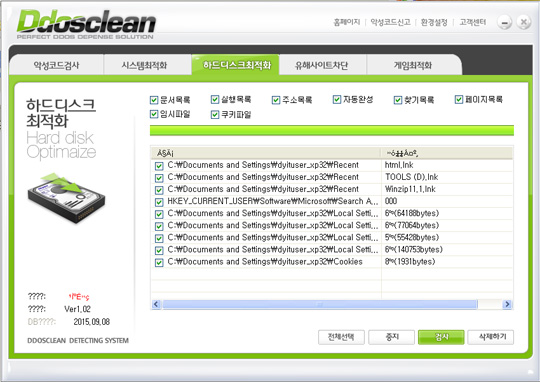
- Blocks websites listed in its Bad site Interception feature
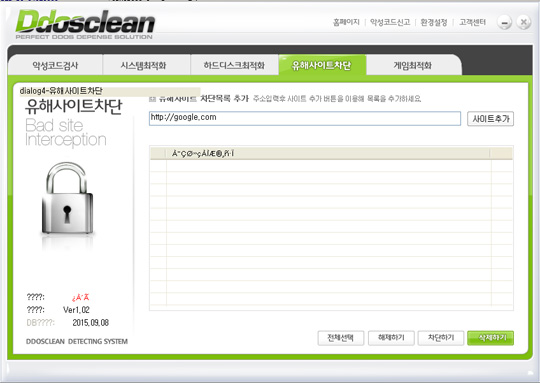
- Frees memory space using its Game Optimize feature
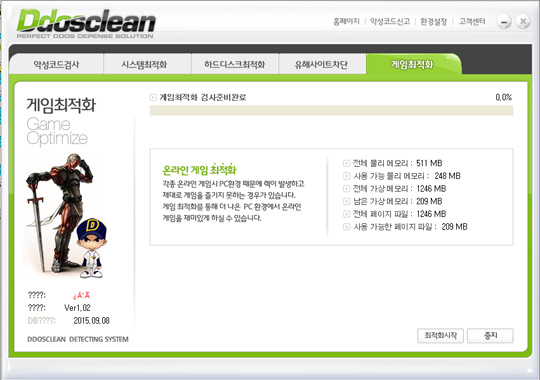
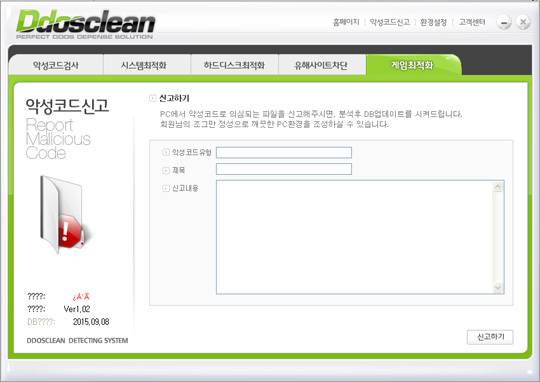
- Sends reports from affected machine to the URL http://{BLOCKED}ean.com/report.php?strCate={Value}&strSubject={Subject}&strComm={Message}
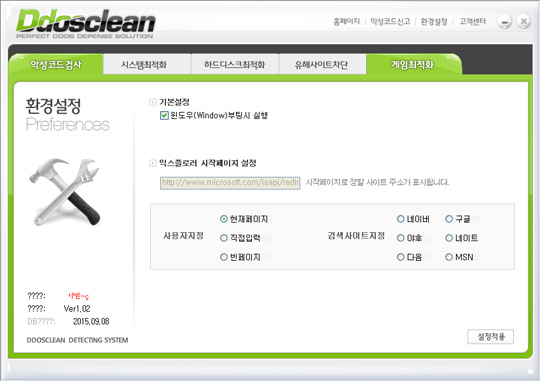
- Changes default homepage of Internet Explorer browser
However, as of this writing, the said sites are inaccessible.
Rogue Antivirus Routine
This Trojan displays fake alerts that warn users of infection. It also displays fake scanning results of the affected system. It then asks for users to purchase it once scanning is completed. If users decide to purchase the rogue product, users are directed to the following website asking for sensitive information, such as credit card numbers:
- http://{BLOCKED}ean.com/settle.php?strID=&strPC={Mac Address}&strSite=
- http://{BLOCKED}ean.com/bill_mobil/bill/ph/step1.php?strPC={Mac Address}&strID=&strSite=
- http://{BLOCKED}ean.com/bill_mobil/bill/ph/step1_12.php?strPC={Mac Address}&strID=&strSite=
- http://{BLOCKED}ean.com/
It displays the following window and pretends to scan the system:
NOTES:
Note that the routines stated above require user interaction.
SOLUTION
Step 1
Before doing any scans, Windows XP, Windows Vista, and Windows 7 users must disable System Restore to allow full scanning of their computers.
Step 2
Note that not all files, folders, and registry keys and entries are installed on your computer during this malware's/spyware's/grayware's execution. This may be due to incomplete installation or other operating system conditions. If you do not find the same files/folders/registry information, please proceed to the next step.
Step 3
Reset Internet security settings
Step 4
Scan your computer with your Trend Micro product to delete files detected as TROJ_FAKEAV.YSWL. If the detected files have already been cleaned, deleted, or quarantined by your Trend Micro product, no further step is required. You may opt to simply delete the quarantined files. Please check this Knowledge Base page for more information.
Did this description help? Tell us how we did.